
You sent the traffic. You watched someone click. Three weeks later the merchant confirms the sale — and your dashboard shows nothing. Fraud? A cookie problem? Your own link setup? Most affiliates never find out, because tracking is the one part of this business nobody explains properly.
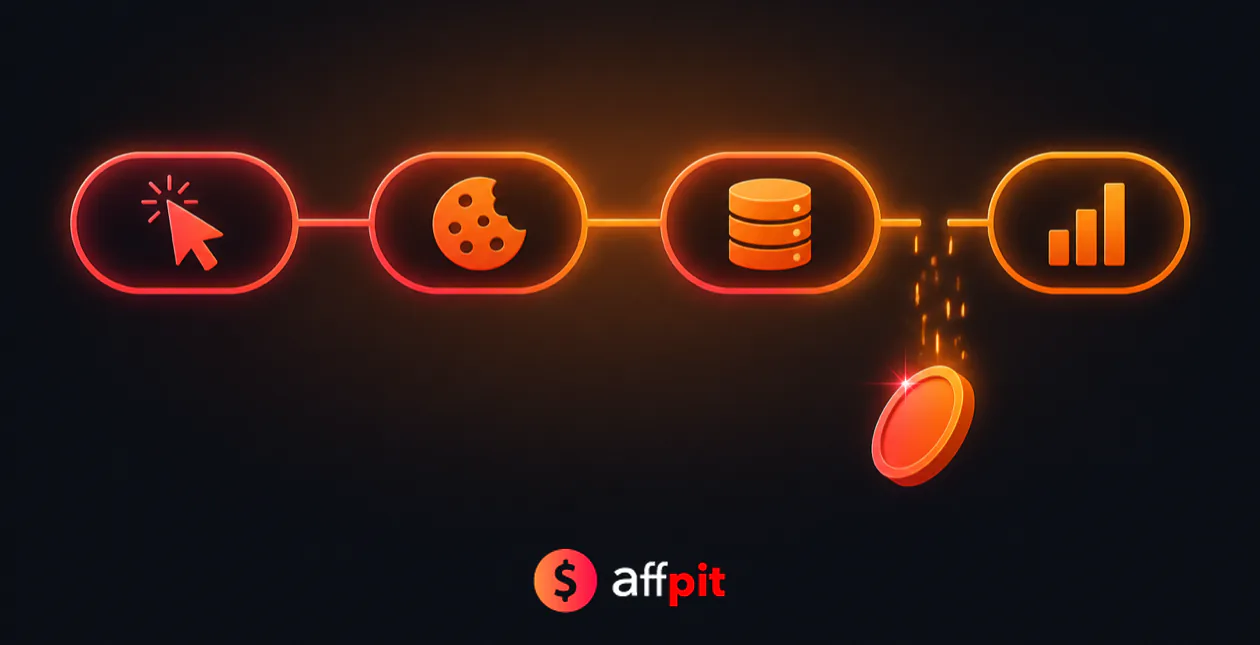
Here’s what’s worth understanding early: affiliate tracking software isn’t one technology. It’s a chain of about six steps, and a commission can quietly fall out of any of them. Once you can picture the chain, missing commissions stop being mysterious and start being diagnosable.
This guide walks the whole path — click, redirect, cookie, conversion, approval, payout — explains why a “30-day cookie” often isn’t 30 days, and shows what the tracking platform listed on a program tells you before you commit months of traffic to it.
🔎 Disclosure: some links here lead to programs we may earn a commission from, at no extra cost to you. It never changes what we recommend. Platform behaviour and program terms checked August 2026.
What’s in this guide
- What affiliate tracking software actually does
- The six steps between a click and a commission
- The three ways a sale gets matched to you
- The cookie reality check: why "30 days" often isn't 30 days
- Who actually runs what: tracking across 84 affiliate programs
- In-house vs network vs SaaS platform — what each means for you
- Where commissions actually go missing
- What to check before you send traffic to a program
- Mistakes that quietly cost affiliates money
- Frequently Asked Questions
- The bottom line
⚡ The short answer
Affiliate tracking software gives every affiliate a unique link, tags each click with an ID, stores that ID in the visitor’s browser or on the merchant’s server, and matches it back when a sale fires. It then holds the commission through a refund window before releasing payment.
- Three matching methods: cookies, server-to-server postbacks, and coupon codes.
- Cookies are the weakest link — Safari caps script-set cookies at 7 days regardless of the advertised window.
- 63% of the 84 programs in our directory run tracking in-house, not on a network.
What affiliate tracking software actually does
Strip away the dashboards and it does four jobs: identify who sent the visitor, remember that fact long enough for the visitor to buy, attribute the eventual sale to the right affiliate, and account for the money through refunds and payout schedules.
Everything else — creatives, reporting, tiered rates, fraud checks — is built on top of those four. When affiliates say “the tracking is broken,” they almost always mean step two failed: the system forgot who sent the visitor before the visitor got around to buying.
The six steps between a click and a commission
Here is the full chain. Roughly the first four steps happen in under a second.
- The click. Someone clicks your affiliate link. That link carries your affiliate ID and often a sub-ID you set yourself for reporting (which campaign, which article, which video).
- The redirect. The click hits the tracking platform first, not the merchant. The platform logs the click, stamps it with a unique click ID, and bounces the visitor onward — usually a 302 or 307 redirect. This is the step most affiliates never see, and it’s where your sub-IDs are captured.
- The landing. The visitor arrives at the merchant’s site with the click ID attached to the URL. The merchant’s site reads it and stores it — in a cookie, in local storage, or against a server-side session. How it stores it matters enormously, as we’ll see.
- The wait. Nothing happens. The visitor closes the tab, thinks about it, compares alternatives, comes back later. This gap is the entire reason cookie windows exist — and the reason attribution fails.
- The conversion. The visitor buys or signs up. The merchant fires a conversion event containing the stored click ID, either as a browser-side pixel or as a server-to-server call. The platform matches that ID back to your account and records a pending commission.
- The hold and the payout. The commission sits pending through a refund or validation window — commonly 30 to 60 days, sometimes longer. If the customer doesn’t refund or charge back, it’s approved, added to your balance, and paid once you clear the program’s minimum threshold.
💡 Our take: steps 1, 2, 5 and 6 are handled by the platform and rarely fail. Step 3 (how the click ID is stored) and step 4 (how long it survives) are where nearly every missing commission is born. Judge a program’s tracking by those two, not by the dashboard.
The three ways a sale gets matched to you
1. Cookie tracking (the default, and the most fragile)
The click ID is written into the visitor’s browser as a cookie. When the sale fires, the merchant’s page reads the cookie back and reports it. Simple, cheap, and universally supported — which is why almost every program starts here.
The catch: cookies are the part of the web that privacy engineering has spent a decade dismantling. They get cleared, blocked, expired early, and lost entirely when a visitor switches from their phone to their laptop before buying.
2. Server-to-server postbacks (the reliable one)
Also called S2S or postback tracking. Instead of trusting the browser, the merchant stores the click ID in its own database against the user account, then calls the tracking platform’s server directly when the sale completes — no browser involved.
Because it never depends on a cookie surviving, S2S is dramatically more accurate for long consideration windows, free trials that convert months later, and anything involving a login. This is why SaaS programs with long trials increasingly run it, and why a 400-day trial attribution window like Shopify’s is even possible — a cookie would never survive that.
3. Coupon and promo-code tracking
Your own discount code is attached to your affiliate account. Anyone who enters it at checkout is credited to you, whatever their browser did. It’s the only method immune to cookie loss, ad blockers and device switching.
Its weakness is leakage: codes get scraped by coupon sites and posted publicly, so you end up paying commission-shaped credit to strangers — or worse, coupon extensions overwrite your attribution at the last click. Useful as a supplement, rarely a foundation.
| Method | Survives cookie loss? | Cross-device? | Best for | Main weakness |
|---|---|---|---|---|
| Cookie | No | No | Fast, impulse purchases | Blocked, cleared, capped early |
| Server-to-server | Yes | Yes, if login-based | Trials, SaaS, long decisions | Merchant must implement it properly |
| Coupon code | Yes | Yes | Creators with an audience | Code leakage to coupon sites |
The cookie reality check: why “30 days” often isn’t 30 days
This is the part most tracking explainers skip, and it costs affiliates real money.
Safari caps script-set cookies at seven days. Apple’s Intelligent Tracking Prevention limits first-party cookies created through JavaScript (document.cookie) to a seven-day lifetime, and applies similar limits to script-writable storage like localStorage. If a program advertises a 30-day cookie but its platform sets that cookie with JavaScript, a Safari visitor who returns on day ten converts as organic. You get nothing, and nothing in your dashboard explains why.
The fix is structural rather than something you can control: cookies set server-side, through a genuine first-party HTTP response, aren’t subject to that seven-day script cap. Platforms that do this properly hold attribution far longer. It’s not something a program advertises, which is exactly why it’s worth asking about.
Third-party cookies are a mixed picture. Safari and Firefox have blocked them by default for years, so a large share of the web has been effectively cookieless for a while. Google reversed its plan to fully deprecate third-party cookies in Chrome in 2024 and, as of 2026, has settled on keeping them under a user-choice model rather than removing them. So they still work in Chrome — but they’re less reliable than they were, and betting a business on them is optimistic.
⚠️ Watch out: the cookie window in a program’s terms is a maximum, not a guarantee. Treat it as the best case in Chrome with a cooperative visitor, and assume meaningfully less in Safari. Programs that lean on server-side attribution or click IDs tied to a user account are the ones that actually deliver the advertised window.
Who actually runs what: tracking across 84 affiliate programs
Roundups tend to imply that serious programs run on big networks. We checked every program in our directory, and the reality is close to the opposite. Of the 84 programs listed on Affpit, we’ve recorded the tracking platform for 81:
| Tracking platform | Programs | Share | Examples |
|---|---|---|---|
| In-house | 51 | 63% | Shopify, Kinsta, Binance, Kit |
| Impact | 11 | 14% | Semrush, Coursera, Canva, Teachable |
| PartnerStack | 8 | 10% | GoHighLevel, ClickUp, Brevo, Thinkific |
| Commission Junction | 3 | 4% | Fiverr, Grammarly, GoDaddy |
| ShareASale | 2 | 2% | WPForms, LifterLMS |
| Rewardful | 2 | 2% | beehiiv, Synthesia |
| Awin / FirstPromoter / Partnerize / Tune | 1 each | 1% each | WP Rocket, Jasper, Adobe, Tidio |
Two things stand out. First, in-house tracking is the norm, not the exception — nearly two-thirds of programs run their own system rather than paying a network. Second, among third-party platforms the market is concentrated: Impact and PartnerStack together account for roughly a quarter of everything we track, while the older CPA networks show up far less often than their reputation suggests.
In-house vs network vs SaaS platform — what each means for you
In-house tracking
The merchant built or bought its own system and runs the program directly. Examples in our directory include Kinsta, Shopify, SE Ranking and Binance.
- Best for: higher commission rates, since there’s no network fee in the middle. Often better attribution too, because the merchant controls its own login data and can tie clicks to accounts server-side.
- Not ideal for: anyone who wants leverage. If a commission goes missing, you’re arguing with the same company that owes you the money — there’s no neutral party.
- The catch: every program means another dashboard, another threshold, another payout schedule. Ten in-house programs is ten separate logins and ten separate minimums to clear.
Affiliate networks (Impact, CJ, ShareASale, Awin, Rakuten)
A marketplace sitting between merchants and affiliates, handling tracking, reporting, invoicing and payment for many programs at once.
- Best for: consolidation. Promote Coursera, Canva and Semrush and all three land in one Impact balance with one payout.
- Best for: disputes. A network has a stake in keeping affiliates, so there’s someone to escalate to.
- The catch: approval is per-program and often slow, and the network takes a cut — which is part of why network-run programs sometimes pay lower headline rates than in-house equivalents.
SaaS partner platforms (PartnerStack, Rewardful, FirstPromoter, Tune)
Software the merchant licenses to run its own program — the middle ground. The merchant still owns the relationship, but you get a proper dashboard and consolidated payouts across programs on the same platform.
- Best for: recurring SaaS commissions. These platforms are built around subscriptions, so renewal tracking and MRR-style reporting are far better than on legacy CPA networks.
- Best for: smaller affiliates — thresholds tend to be low. Pipedrive pays out from $5 on PartnerStack; ElevenLabs from $5.
- The catch: commission usually stops when the merchant says it does. A 12-month cap is common, and the platform enforces it silently.
Where commissions actually go missing
In rough order of how often we’d expect each to be the culprit:
- The cookie expired before the purchase. The single most common cause, and invisible in reporting — an expired-cookie sale looks identical to a sale that never happened.
- Last-click overwrote you. Most programs pay the last affiliate link clicked. A coupon extension firing at checkout can wipe your attribution seconds before the sale. This is why coupon-site competition quietly destroys content affiliates.
- The visitor switched devices. Researched on mobile, bought on desktop. Cookie tracking simply cannot follow that; only login-based server-side attribution can.
- The purchase was excluded. Enterprise plans, existing customers, upgrades, and certain regions are commonly carved out in the terms. Jasper, for instance, pays on Creator and Teams plans but not on Business or enterprise deals.
- Your link was stripped or rewritten. Some platforms strip tracking parameters, and some browsers remove link decoration. If your redirect drops the click ID, nothing downstream can recover it.
- It’s pending, not missing. Refund windows of 30 to 60 days are standard, and some programs hold longer. Before assuming the worst, check whether the commission is simply locked.
🔍 Worth knowing: notice that four of the six causes above are attribution problems, not payment problems. Merchants get accused of cheating far more often than they actually cheat — the money usually leaked before their system ever saw it.
What to check before you send traffic to a program
Five questions, answerable in about ten minutes, that tell you more than any commission headline:
- What platform runs it? It tells you the payout mechanics, the dispute path, and how good renewal tracking will be. Every listing in our directory records this.
- Cookie window, and is it last-click? Almost always yes. Assume you can be overwritten at checkout and plan content that gets clicked close to the decision.
- What’s excluded? Enterprise tiers, existing customers, upgrades, specific regions. This is buried in the terms and it’s where the biggest deals usually vanish.
- How long is the hold, and what’s the threshold? A 10% commission paying out at $50 beats 30% paying out at $150 if you’re starting small.
- Is the program even open? Some well-known programs are closed to new applicants — Canva is one. Check before you write the article, not after.
Mistakes that quietly cost affiliates money
- Never using sub-IDs. Nearly every platform lets you append a sub-ID to identify the article or video that produced a click. Skip it and you’ll know you earned $400 but not what earned it.
- Testing your own link and assuming that proves tracking works. It proves the redirect works. It says nothing about whether the conversion event fires.
- Posting raw network URLs. Ugly, fragile, and impossible to update later. Cloak them behind your own domain so you can change the destination without editing old posts.
- Ignoring the hold period when planning cash flow. Money earned in January may not land until March.
- Assuming silence means fraud. Contact the affiliate manager with the date, the click ID if you have one, and the sub-ID. Programs correct genuine tracking errors more often than affiliates expect — but only if you ask with specifics.
Frequently Asked Questions
What is affiliate tracking software?
Affiliate tracking software records which affiliate sent each visitor and matches any resulting sale back to them. It issues unique links, logs clicks with an ID, stores that ID in the browser or on the merchant’s server, then attributes conversions and handles commission approval and payout.
How does an affiliate link actually track a sale?
The link routes through the tracking platform, which logs the click and assigns a click ID before redirecting the visitor to the merchant. That ID is stored, and when the visitor buys, the merchant reports the sale with the same ID so the platform can credit you.
What is a postback URL in affiliate tracking?
A postback, or server-to-server call, is how a merchant reports a conversion directly to the tracking platform’s server instead of relying on a browser pixel. Because no cookie is involved, it survives cookie blocking, device switching and long delays between click and purchase.
Why do my affiliate commissions go missing?
Most often the cookie expired before the purchase, another affiliate link overwrote yours at checkout, or the visitor switched devices. Excluded plans and pending refund windows account for much of the rest. Genuine merchant fraud is far rarer than affiliates assume.
Is a 30-day affiliate cookie really 30 days?
Treat it as a maximum, not a guarantee. Safari caps cookies set via JavaScript at seven days, so a 30-day window can be much shorter for those visitors. Only server-side cookies or login-based attribution reliably deliver the advertised window.
Is in-house tracking worse than a network like Impact?
Not inherently. In-house programs often pay more because there is no network fee, and they can attribute server-side using their own login data. The trade-off is no neutral party in a dispute, plus a separate dashboard and payout threshold for every program.
Can affiliate conversions be tracked without cookies?
Yes. Server-to-server postbacks tie the click ID to a user account in the merchant’s database, and coupon codes credit you at checkout regardless of browser state. Both survive cookie blocking, which is why subscription programs increasingly rely on them.
What is a click ID and why does it matter?
A click ID is the unique reference the tracking platform assigns the moment someone clicks your link. It is the thread connecting click to conversion. If it is stripped from the URL or lost before checkout, the sale cannot be matched to you.
The bottom line
Affiliate tracking is a chain, and you only control the first link — the click. Everything after that depends on choices the merchant made when they set the system up: whether the click ID is stored in a browser or a database, whether conversions fire client-side or server-side, and how honestly the cookie window is described.
So use the tracking platform as a signal when you’re choosing programs. If you publish content people act on immediately, cookie tracking will serve you fine. If your audience researches for weeks, signs up for a trial, and converts later on a different device, prioritise programs with server-side attribution or login-based tracking — otherwise you’ll do the work and the sale will land as organic.
And before you commit months of traffic anywhere, read the exclusions. The commission rate is the headline; the exclusions are where the money actually is. Every listing in our affiliate program directory records the tracking platform, cookie window, payout threshold and payment methods, so you can check all of it in one place.
Add a comment